Your AI memory
Every chat with Claude, ChatGPT or Gemini produces real information. Buried in scrollback, it is just noise. Diary saves it, organizes it, and makes it searchable by meaning, so you can find, recall and use it. Stored for life. No subscription needed to keep what you have already saved.
Add the extension — freeYour saved conversations live in your own private diary, kept permanently. You don’t need a subscription to keep what you’ve saved.
Great AI answers get buried the moment you close the tab.
Different people, same problem: the answer existed, but it was not usable when it mattered. Diary closes that gap.
How it works
1 · Save
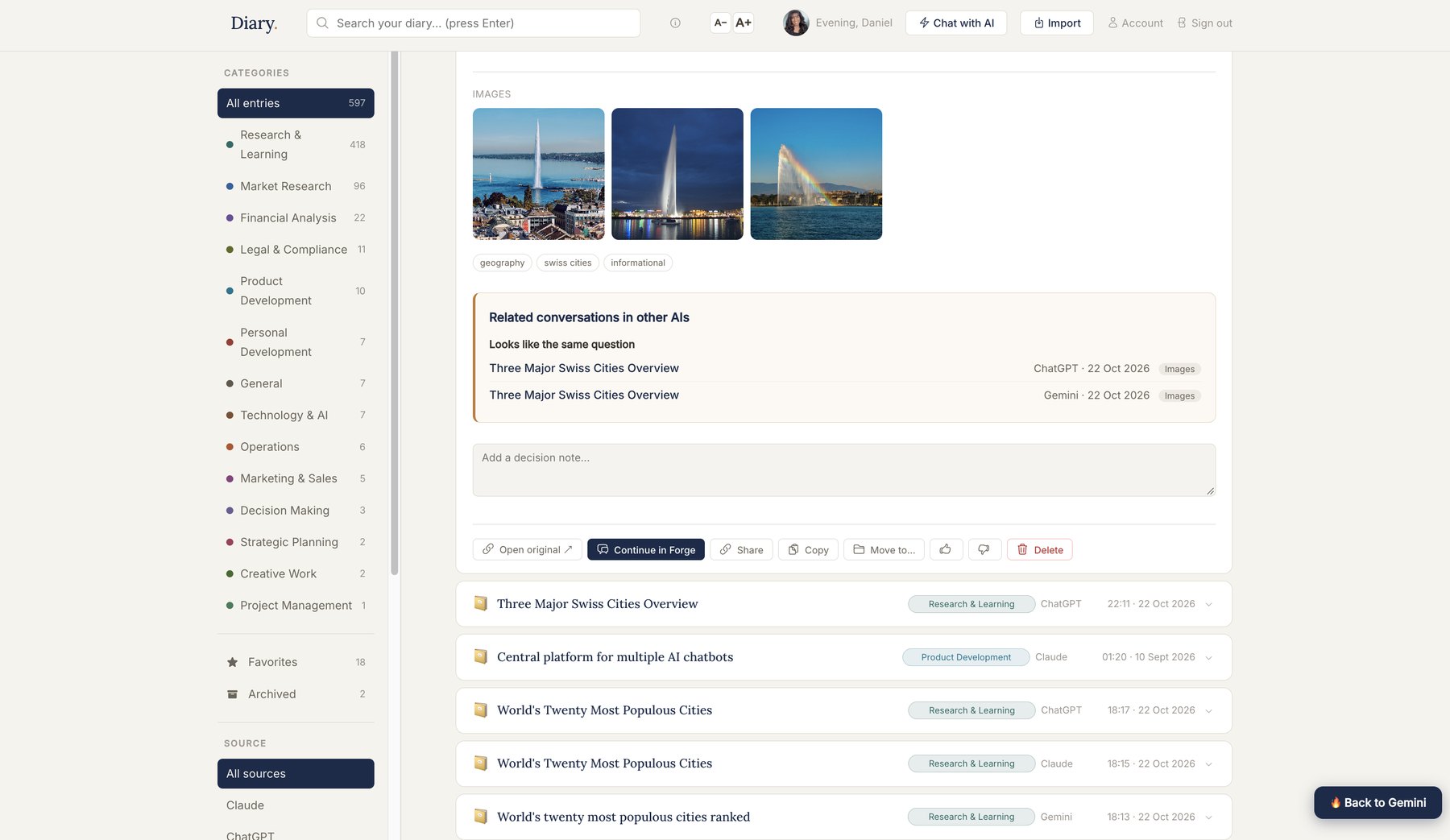
While you chat with Claude, ChatGPT, Gemini, Perplexity or others, save the conversation with one click, without leaving the page.
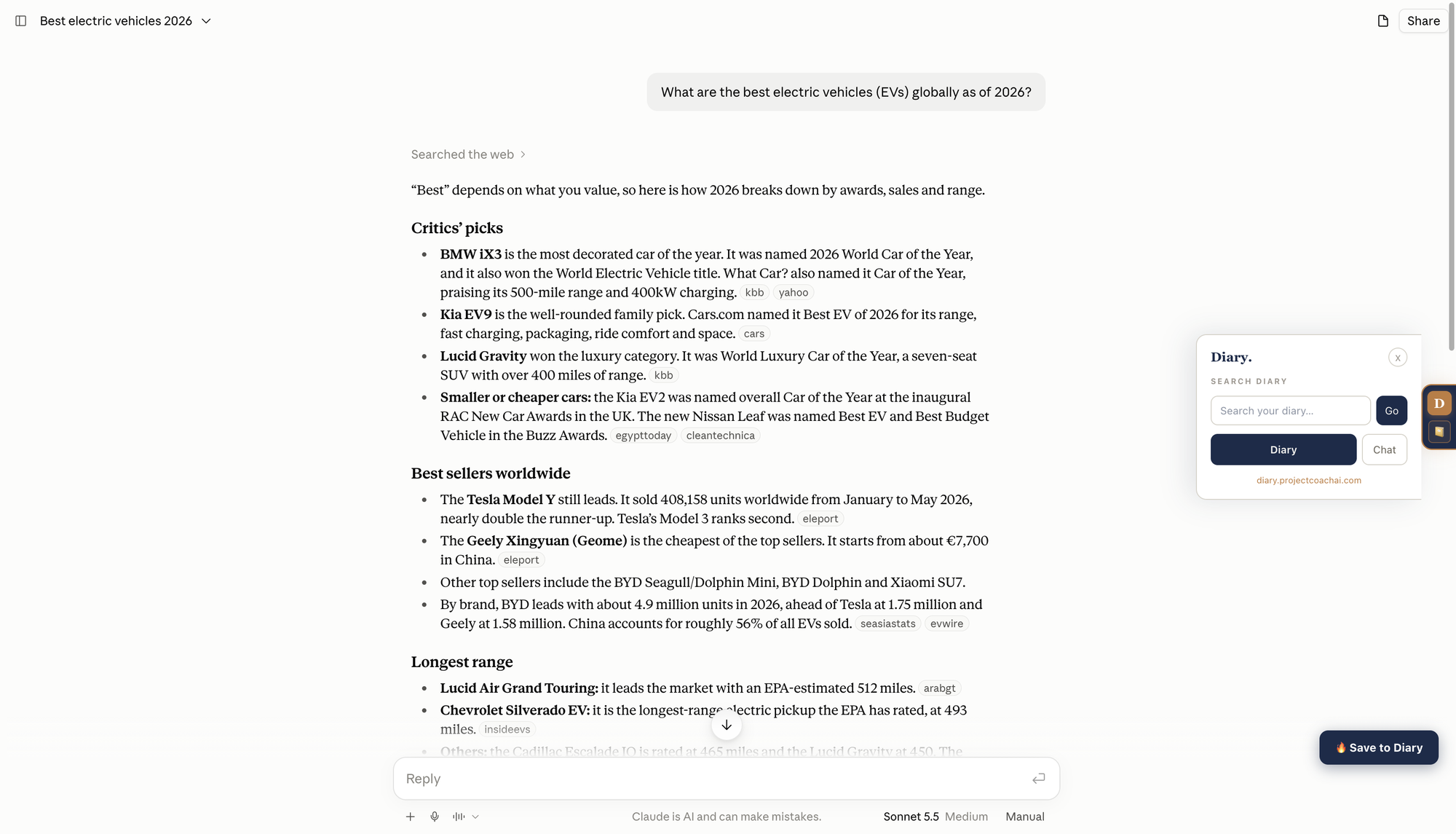
2 · Find
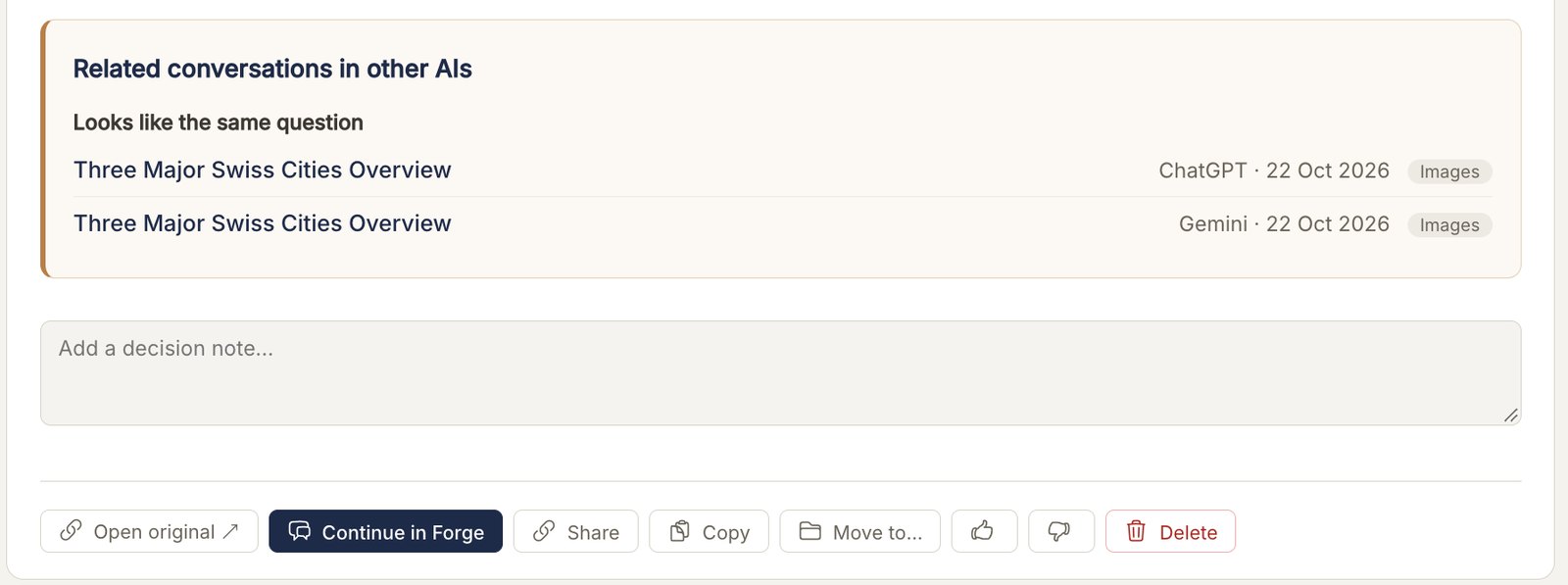
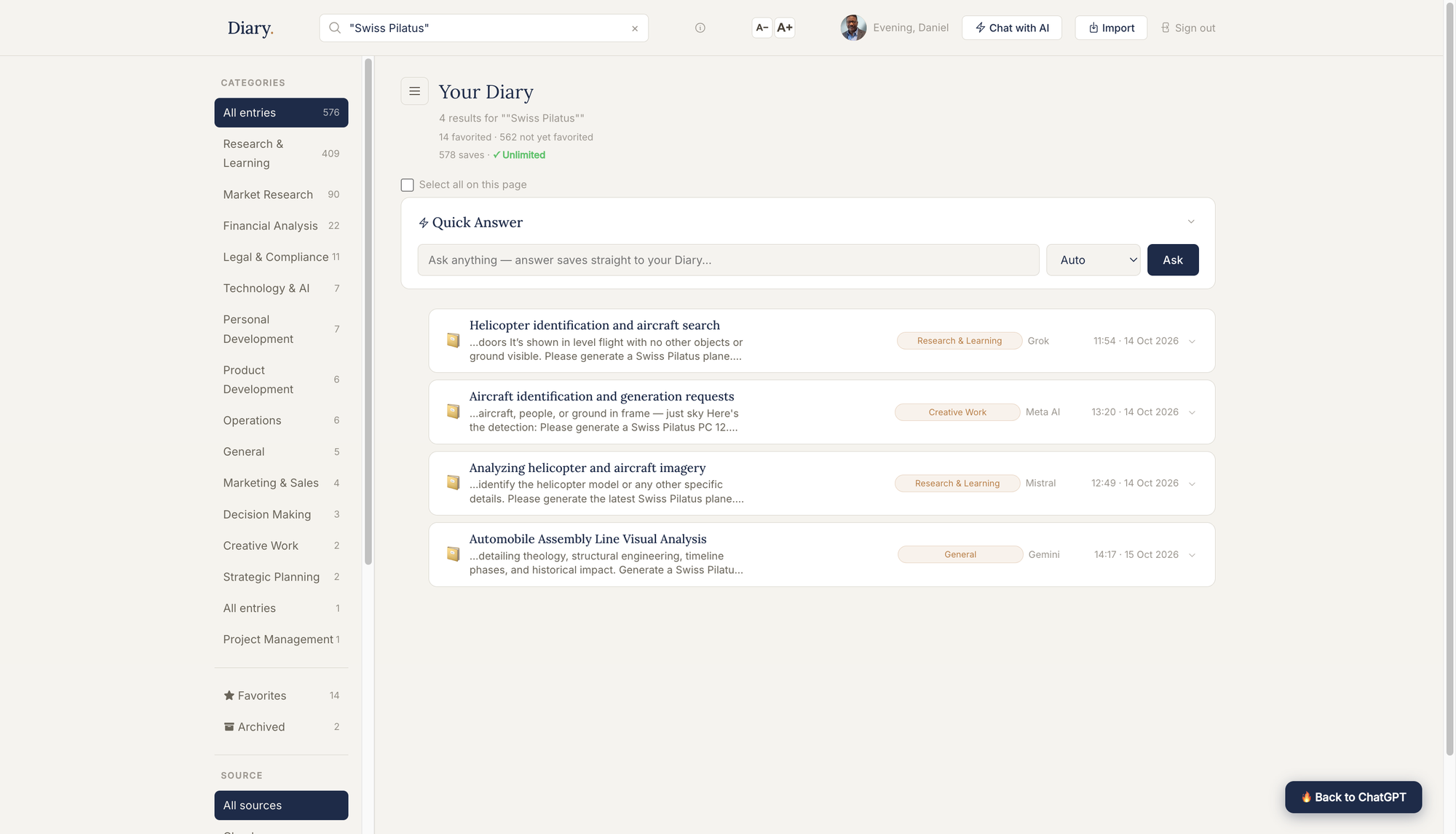
Search by meaning, not just the exact words you used. Find the answer you know you got, without scrolling through chat history.
3 · Continue in Forge
Open any saved conversation in Forge and pick up where you left off. Your question and context come with you, so you never start from zero.
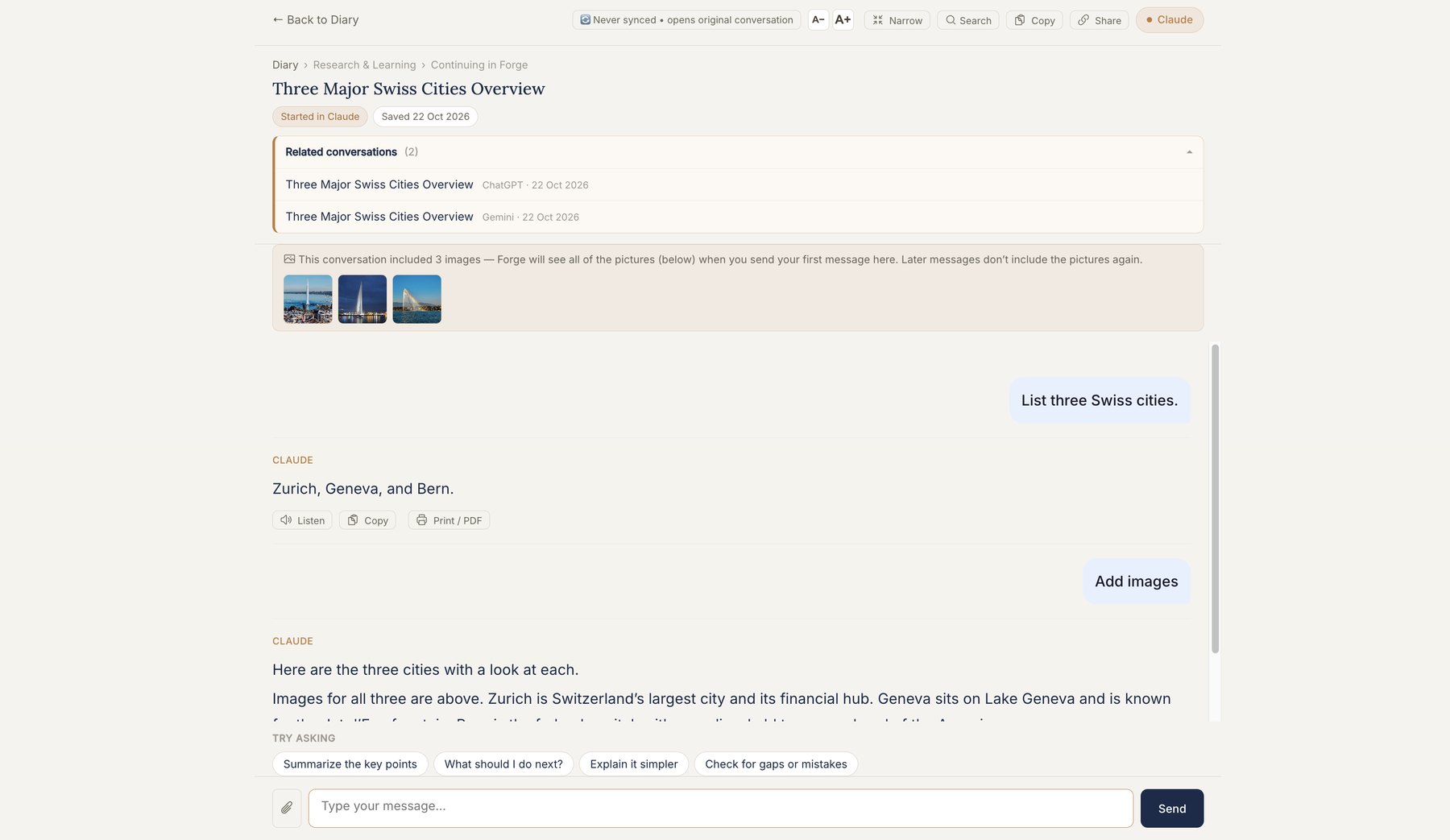
4 · Keep
Every entry is saved whole, with the documents and images that came with it. Kept permanently, and ready whenever you need it again.
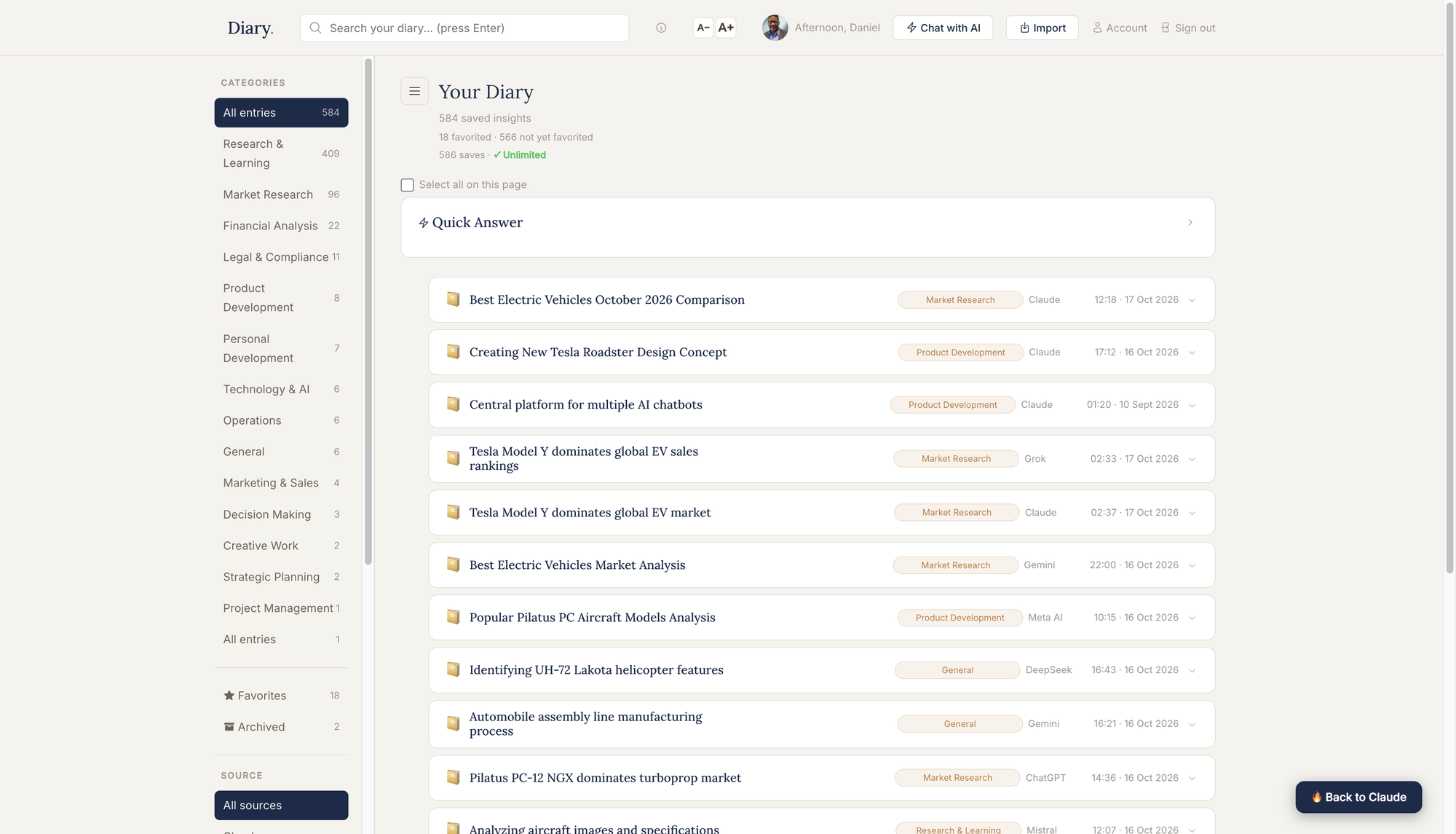
Artifacts
Do not just save what the AI told you. Every time you save, Diary automatically picks out the tables, checklists, sources, key facts, images, code and reasoning steps inside it, and turns each into something you can use.

Every entry opens with a short summary: what it was about, where it landed and where you left off.
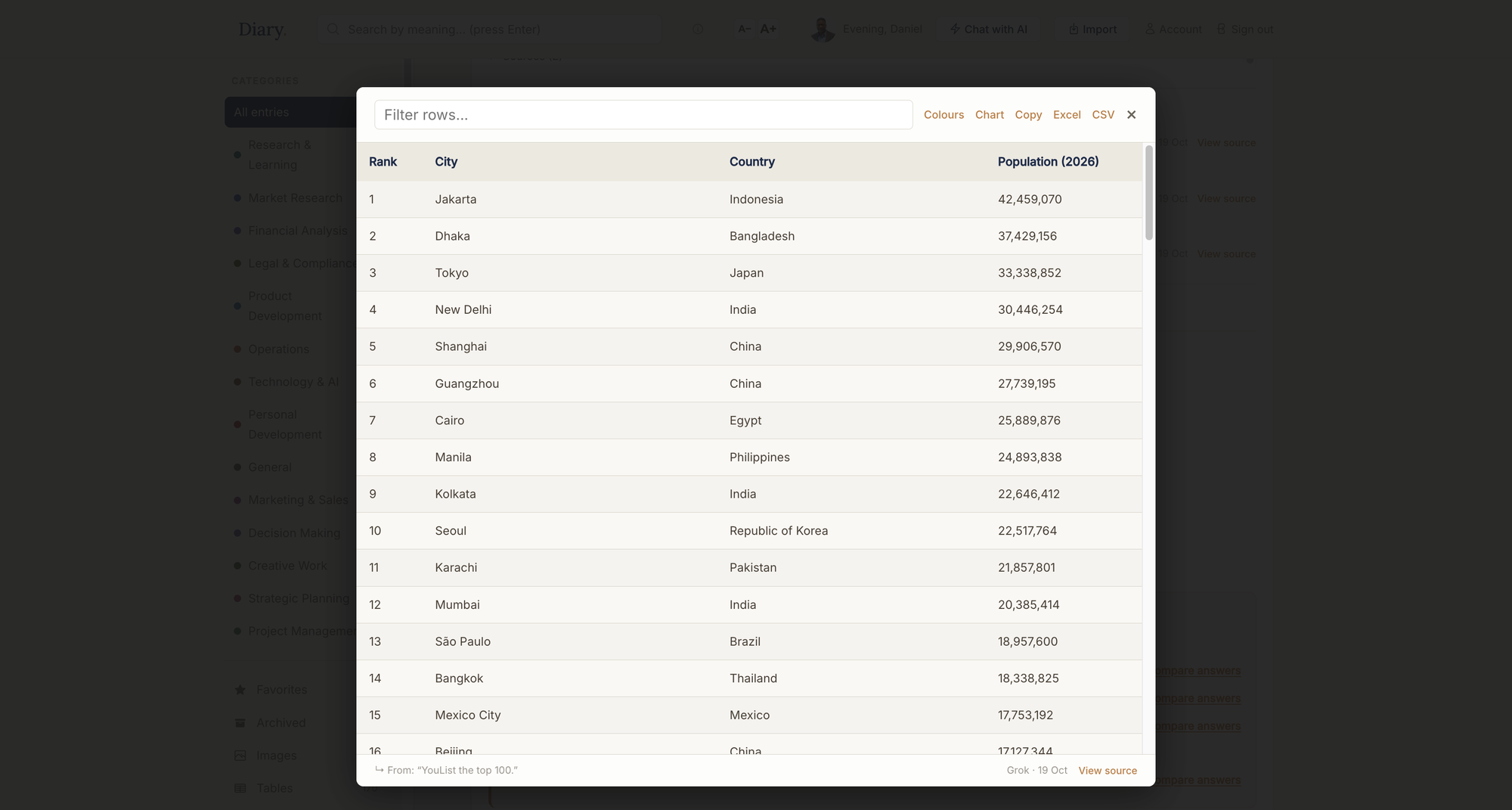
Tables become real tables you can filter, sort and export.
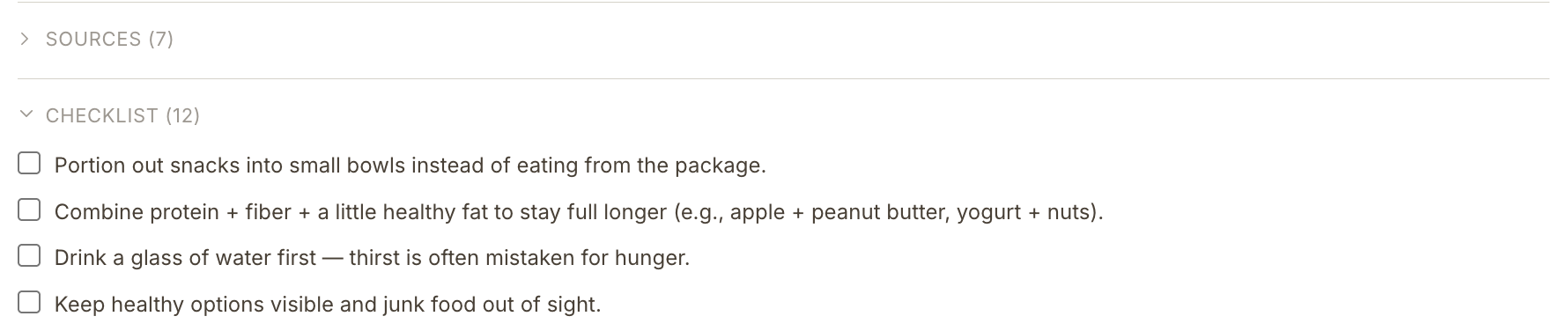
Checklists become tick boxes you can work through.
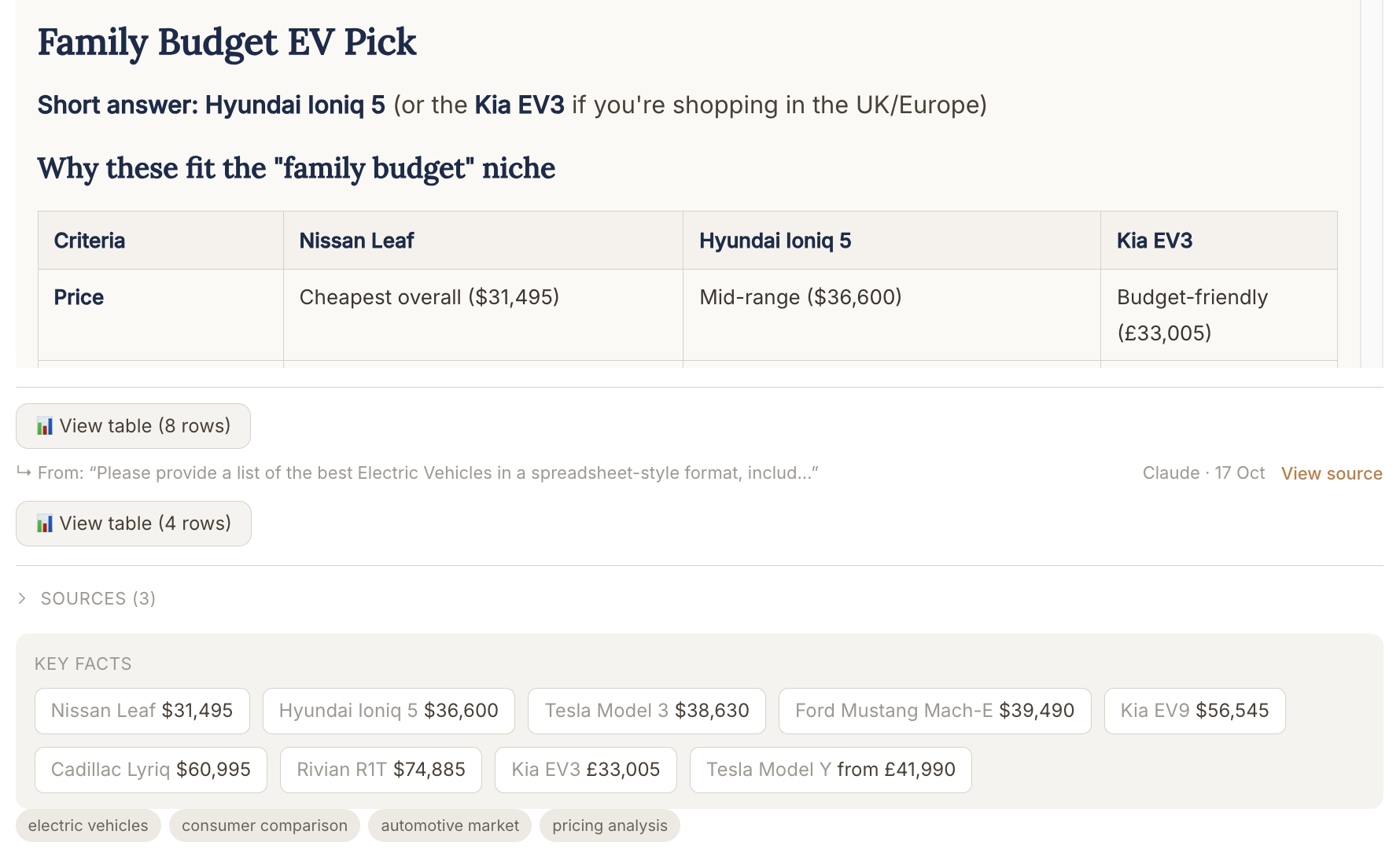
Key facts are pulled out as chips, so the numbers are easy to spot.

Sources and images are kept with the entry they came from.
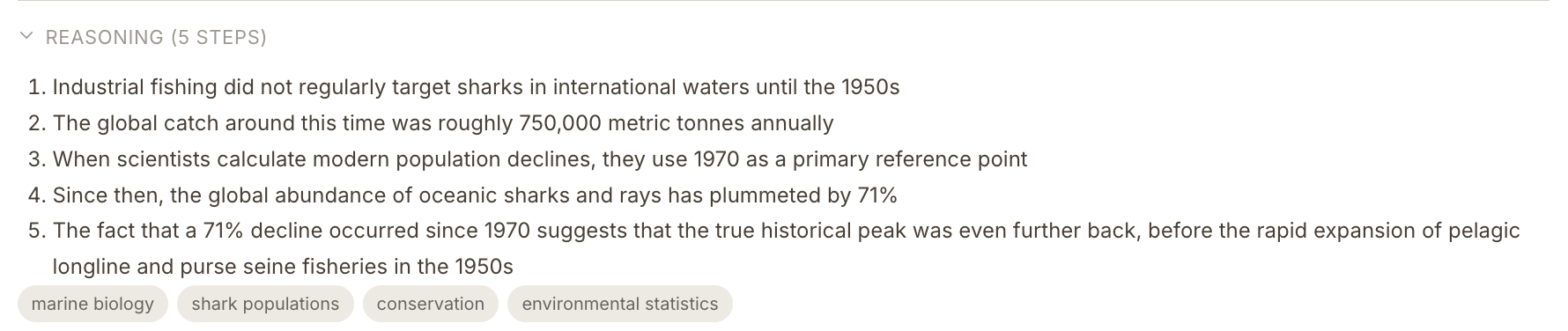
Reasoning is pulled out as numbered steps, so you can follow how the answer got there.
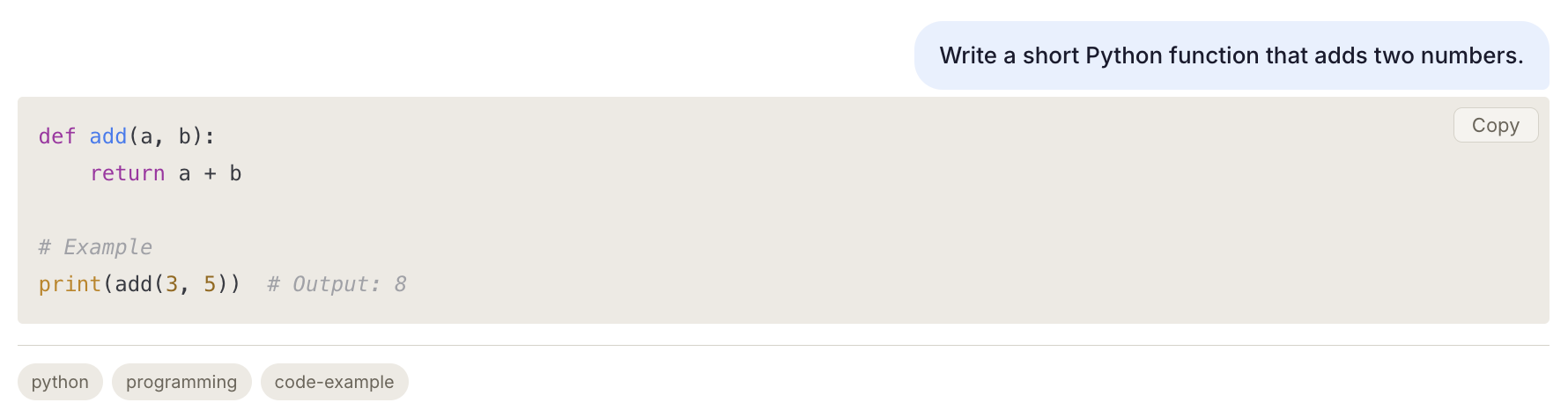
Code is kept in its own box, with the indentation intact and a Copy button, so you can always find it again.
Charts
When an AI answer has a table with numbers, Diary shows a View chart button under it. Pick the columns you want to compare and see them in the view that fits your data: bars, columns, lines, areas, a heatmap, against a target or a scatter plot. Save the result as an image for a slide, a report or a message. No spreadsheet needed.
Works on tables with numbers. Any table can still be sorted, filtered, copied to Excel or Google Sheets, or downloaded as Excel or CSV.
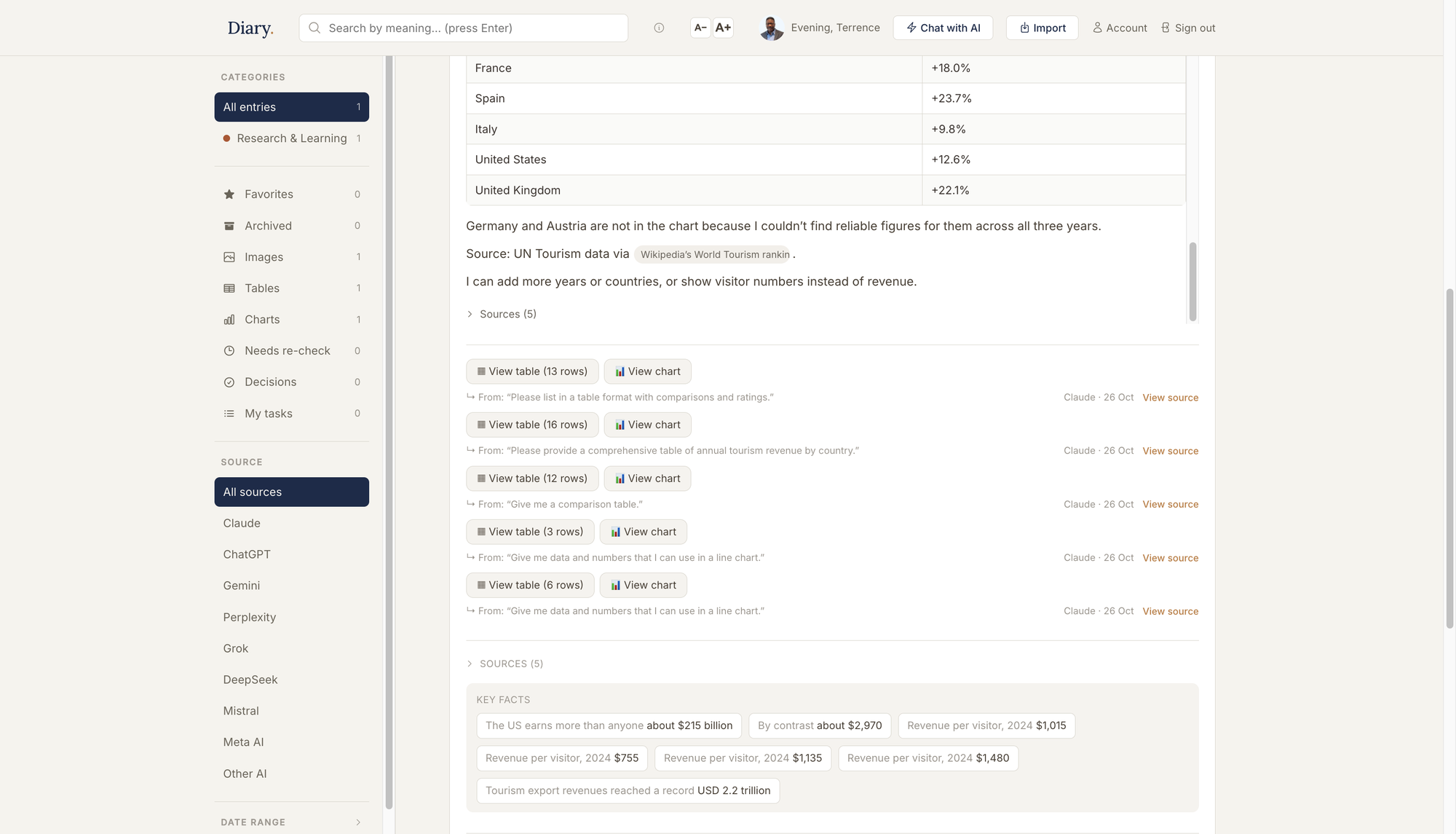
Every table you save gets a View chart button.
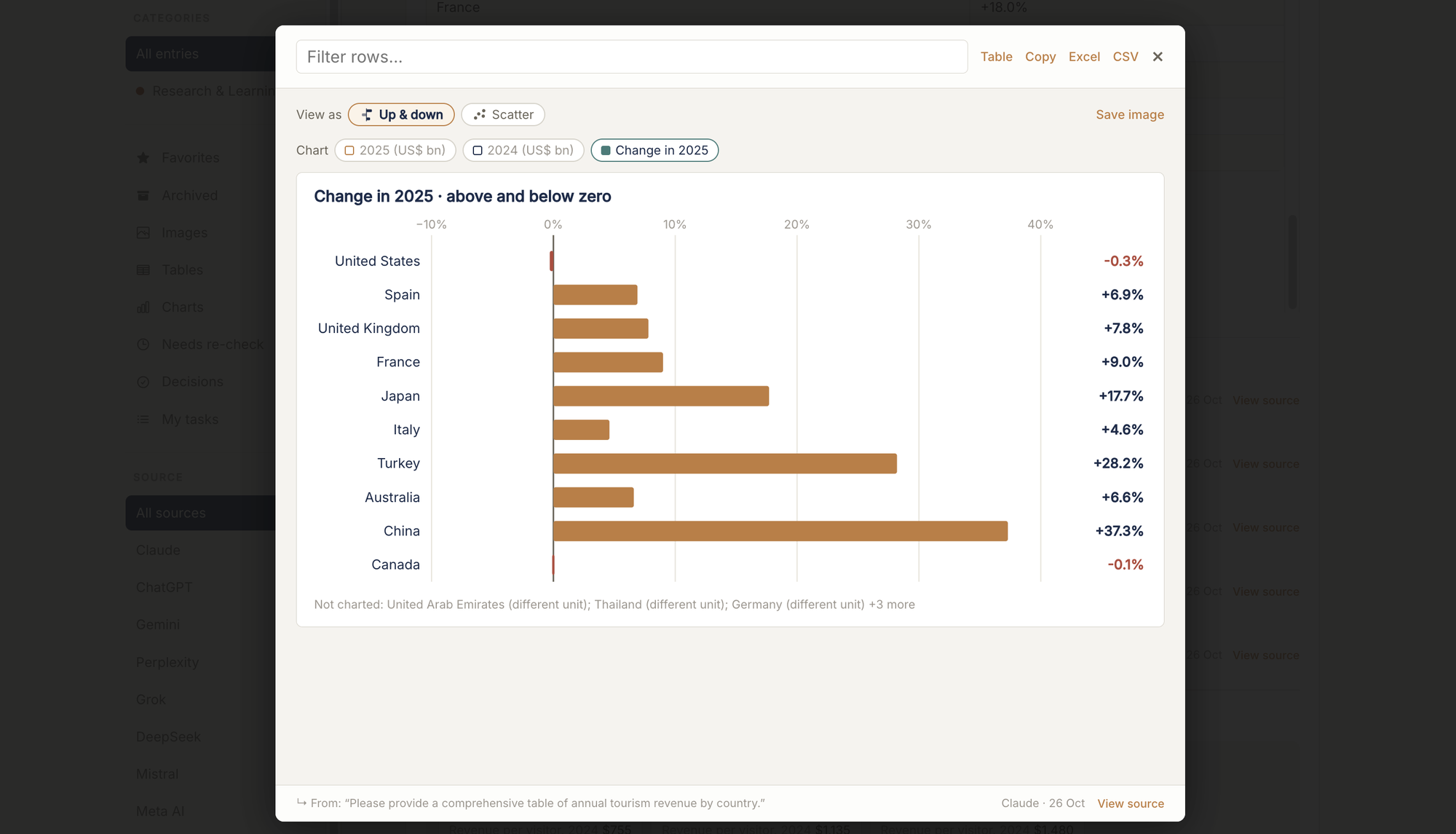
Pick columns, pick a view, save as an image.
Comparing options, reading up on a topic, checking a source across a dozen AI conversations. Diary keeps every answer searchable, so finding one again means searching once, not re-asking the question or scrolling through old chats.
Working out a trip, a budget, a project or a pricing decision with an AI. Diary pulls the tables and checklists out of the answer, ready to use, not a wall of text to re-read and re-summarize.
Pulled a number, a quote or a decision out of an AI conversation three weeks ago, and need it again today. Diary finds it in seconds, exactly as it was said.
Students, professionals, founders, anyone curious. If you have ever wished you could find an AI answer again, Diary is for you.
Claude, ChatGPT, Gemini, Perplexity and more. Documents and images that come with your answers are kept too, from Claude, ChatGPT and Perplexity today, with the other assistants joining.
Pricing
Unlimited saves on the free plan.
Your diary starts the moment you do.
Free
Try Diary with no commitment. Free to start, with 20 searches a day — no credit card required.
Add to Chrome — FreePro
Unlimited search, Continue Conversation on every entry, and the full Diary experience — your AI memory, permanently yours.
Sign up for ProCancel any time · prices exclude VAT, added at checkout where applicable
The free plan includes 20 Continue conversations a month. Diary Pro removes the limit, so any saved conversation can pick up where it left off, whenever you need it.
Sign up for Pro
Already on Pro? Continue any saved entry in Forge in one click.
Diary is also available on the Chrome Web Store · Works on Chrome, Edge & Opera.
Diary remembers, so you don’t have to.
Start free. Upgrade to Pro for $14.95/month (excl. VAT).